

Which certificate route do you need?
Choose an income certificate when a school, scholarship, welfare scheme, fee concession or another authority asks for proof of family or individual income. Choose a domicile or residence certificate when the request is about where a person lives or has established residence. A residence proof used for an address check is not automatically a domicile certificate, and neither document is a substitute for the other.
For an income certificate download, first confirm that the application was approved and keep the application, acknowledgement or certificate number. For a domicile or residence certificate download, confirm the required state or union territory and the period of residence. Government portals may combine services in one dashboard, but the form, evidence, eligibility and final document can still differ.
Official route options
How to find an income or residence certificate download
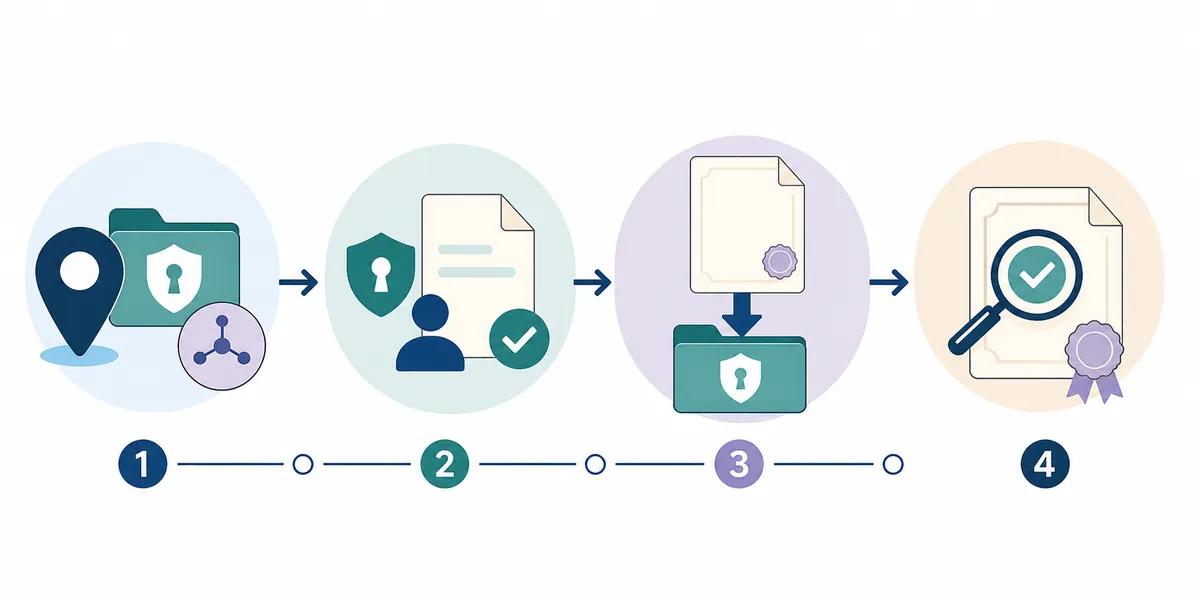
- Copy the exact request: Write down the document name, purpose and deadline from the school, employer, scheme, court or department notice. Ask the recipient whether it needs income, residence, domicile or a combined local record.
- Set the jurisdiction: Select the state or union territory that the service rules require. A current address, long-term residence, family record or place of issue can matter differently, so do not guess from the nearest portal.
- Confirm the issuer: Use the National Government Services Portal, a state e-District site or a district administration page to identify the department. Check the domain, page title and contact details before signing in.
- Choose the action: Apply for a new record, track a pending application, download an approved certificate or verify an existing number. These buttons describe different stages and cannot replace one another.
- Keep the original record safe: After approval, download the issuer's PDF, check the name, date, category, authority and reference, and store an unchanged copy. Share it only with the organisation that requested it.
Income, residence and domicile are different records
An income certificate normally records income for a defined person or family and a stated purpose. The issuing office may ask for income evidence, a declaration, identity details and local verification. A domicile or residence certificate focuses on residence and may ask for continuous stay, address evidence, identity and a self-declaration. The names and rules vary across India, so a familiar label is not enough to establish eligibility.
Treat a combined phrase such as income-residence certificate as a search starting point, not a legal category. Some portals list several services together or issue an integrated local record, while another state may keep the records separate. Read the current notice and the issuing department's own description before selecting a service.
What to prepare before opening the portal
Keep the request notice, a readable identity document and the reference details from any prior application nearby. Depending on the jurisdiction, the portal may request address or residence proof, income evidence, a photograph, a self-declaration, parent documents for a minor, or an acknowledgement number. These are examples from official guidance, not a universal checklist. Upload only what the issuer requests and avoid sending scans to an unofficial helper.
A state service can also ask you to visit a citizen service centre, revenue office, Tehsildar, SDM or another local authority. Online submission does not always remove physical verification. Save the application receipt and note the department's support channel if the form is returned for correction.
- Use clear scans and the file type and size limits shown on the official form.
- Keep the registered mobile or email available, but never disclose an OTP to a guide or agent.
- Record the application number and submission date before closing the portal.
Apply, check status, download and verify are separate
An application creates a request; a status page shows whether the authority is reviewing it; a download action retrieves an issued record; and verification checks whether a certificate number or digital signature is valid. A receipt, acknowledgement or pending status is not the final certificate. If a portal shows no download button, first confirm that the application has been approved and that you are in the correct dashboard.
Use the reference printed on the official receipt instead of trying random numbers. Some services use an application identity number, certificate number, registered mobile, date of birth or account login. Follow the exact combination shown by the issuer. When a service redirects to DigiLocker or another government app, check that the handoff is from the official portal and that the record belongs to you.
State examples show why a single nationwide step is risky
The Chandigarh e-District portal lists citizen access for income, residence and social welfare services, with separate service information and time limits. That is evidence of a Chandigarh route, not a promise about every state. Use it as an example of why the department and portal must be matched to the applicant's jurisdiction.
A Delhi district administration page describes domicile eligibility, identity and continuous-residence evidence, a self-declaration, a photograph and possible physical verification, and it points applicants to e-District Delhi. Requirements such as three years of residence are jurisdiction-specific. Do not copy them into an application for another state without checking that state's official instructions.
Keep old and corrected records traceable
If an older income or residence record is not found online, check the district, spelling, year, application number and issuing office printed on the receipt. Older records may not be digitised, may be stored under a legacy department or may require a manual search. Ask the original office about lookup, correction, reissue or a certified copy before submitting a duplicate application.
When a certificate is approved but the PDF is damaged, download it again from the issuer, use the portal's verification option and keep the original file unchanged. If a name, address, income period or authority is wrong, use the correction route. Do not edit a PDF or remove a QR code, signature or reference to make it fit a form.
Common download problems
The portal offers several similar services
Read the purpose and issuing department for each option. Ask the recipient whether it needs income, residence, domicile or an integrated record before submitting.
The application is pending and no PDF appears
Use the official status page and complete any correction or verification step. A pending request does not mean that a final certificate is ready to download.
The certificate number returns no result
Check the state, district, number format, spelling and date. Try the issuer's verification route, then ask the original office about a legacy or manual record search.
A private page asks for an OTP or payment
Stop and return to the official department or government directory. This guide never asks for credentials, and an unofficial download cannot prove that a certificate is valid.
Before you apply or download
- The notice names the certificate and purpose clearly.
- The state or union territory matches the applicable rules.
- The department and domain are confirmed through an official source.
- You selected apply, status, download or verify for the correct stage.
- The receipt, application number and submission date are saved.
- Documents and OTPs stay on the issuing service.
- The final PDF is unchanged and stored privately.
Income and residence certificate download FAQ
Can I download an income certificate without the certificate number?
Some portals let you use an application identity number, registered mobile, date of birth or account dashboard instead. Use only the lookup methods displayed by the issuing authority; an empty search is not proof that the record was rejected.
Is a residence certificate the same as a domicile certificate?
The terms can overlap in everyday use, but the legal scope and accepted evidence depend on the state and purpose. Confirm the exact document name with the recipient and the issuing department.
Can I use a utility bill as a domicile certificate?
A utility bill may be one item of residence evidence, but it is not automatically the issued domicile record. Follow the official checklist for the relevant state or district.
What should I do when an old certificate is missing online?
Check the original receipt and contact the issuing office about a legacy search, digitisation, correction or reissue. Do not submit duplicate personal documents to an unverified agent.
Does this site issue or verify income and domicile certificates?
No. This is an independent navigation guide. Applications, payments, downloads and official verification happen on the relevant government service.
Official sources and limitations
Government directories and state or district pages help you locate a starting route. Open the linked issuer, read its current instructions and confirm acceptance with the organisation requesting the record.
- National Government Services Portal — Government directory for locating services by category, department and state.
- Chandigarh e-District services — Official portal example with citizen access for income and residence or domicile services.
- Delhi district domicile guidance — Official district guidance describing domicile evidence, self-declaration and the e-District route.
Eligibility, service names, documents, fees, processing times and acceptance rules vary by jurisdiction and may change. Last reviewed 5 November 2026; confirm every detail with the current issuing authority and the organisation requesting the certificate.