
Where to download an income certificate
The safest income certificate download route is the official service connected to the issuer. In India, the route can vary by board, state, district, registration place or the purpose written on the application. Use the homepage finder to open the matching official destination, then confirm the domain before entering application or certificate number, state, district and approved status.
A status page, acknowledgement or search result is not always the final document. Download only after the authority shows that the record has been issued, then compare the name, number, date, purpose and verification details with the receiving organisation’s request.
What you need before downloading
- The correct issuer and service for the income certificate requested.
- The application or certificate number, state, district and approved status when the official portal asks for it.
- A registered account, mobile number or identity check when required by the issuer.
- The exact document variant and issue-date rule required by the receiving organisation: download, status, verification and a new application.
How to download Income Certificate
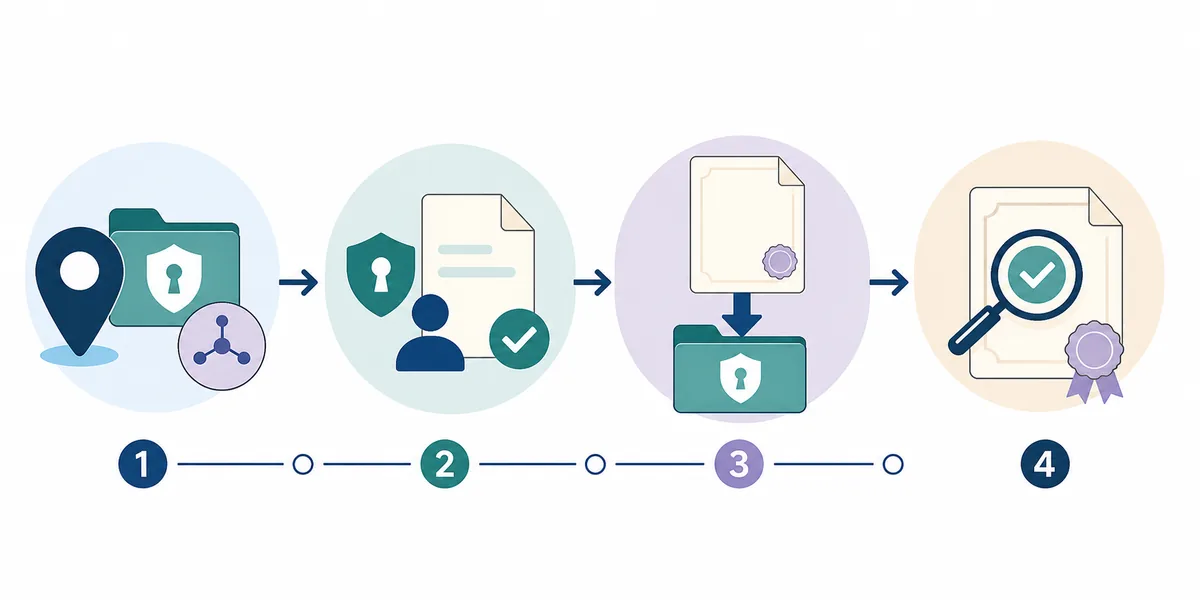
- Confirm the document and issuer: Read the receiving organisation’s wording and identify the authority responsible for the income certificate. Do not substitute a similar certificate.
- Open the official service: Use the state revenue, eDistrict or citizen-service portal that approved the application. Check the domain, department name and secure connection before entering record or login details.
- Find the approved or issued record: Choose download, issued documents, completed service or record search as appropriate. Status tracking alone may not provide the final file.
- Download or print the original: Use the portal’s own download or print control. Keep the original PDF and any digital signature, QR code or verification reference.
- Check before submitting: Compare the document with the request, including the issuer, applicant or record name, number, date, purpose and validity wording.
Choose the correct portal action
| Action | Use it when | Expected result |
|---|---|---|
| Download | The authority has issued the record. | The official income certificate PDF or print view. |
| Check status | Approval, correction or verification is still pending. | The current processing stage, not necessarily the final document. |
| Verify | A school, employer, bank, insurer or office needs authenticity confirmation. | The issuer’s verification response where available. |
| Apply or correct | No record exists or the issued details are wrong. | The authority’s formal application, correction or certified-copy process. |
Common problems and fixes
The portal cannot find the record
Recheck the issuer, jurisdiction, year and application or certificate number, state, district and approved status. Older or non-digitised records may require a manual search or certified-copy request.
Only a status or acknowledgement is shown
Wait for approval and look under issued documents or completed services. Do not present an application receipt as the final certificate.
The receiving organisation rejects the PDF
Ask whether it needs a certified copy, a recent issue date, a particular variant or a verification link. Never edit the downloaded income certificate.
Choose the correct income certificate route
The official route is determined by the issuer and the place or purpose connected to the record. Common examples include TN eDistrict, Nadakacheri, Punjab eServices, UP eDistrict and Rajasthan eMitra. These examples help you recognise the right authority; they do not mean every year or document type is available online.
Keep the current page within the broad income certificate download intent. State-specific or institution-specific searches may need a different official workflow, while related certificate terms should remain on their existing guides.
Income Certificate download and status scenarios
A income certificate download request can involve a new application, a pending check, an issued document or a correction. Select the action that matches the current state instead of submitting a duplicate application or searching for an unofficial PDF.
If the receiving organisation has a deadline, check its accepted format and issue-date rule before downloading. A genuine file can still be unsuitable when it is the wrong variant, jurisdiction or age.
Verify the issued document and protect private data
Use the official service whenever entering application or certificate number, state, district and approved status. This site only helps you find the public destination and does not need OTPs, passwords, identity scans or private certificate numbers.
After the income certificate download, preserve the original file and its QR code, digital signature or verification number. Corrections must be made by the issuer, not by editing the PDF.
Check the downloaded income certificate
Review the issuer, record or applicant name, number, date, purpose, issue information and any QR or digital signature. Keep the original file and ask the recipient whether a printout or certified copy is required.
If a mismatch appears, return to the official authority for correction or reissue. Do not upload the file to an unrelated help site or alter its contents.
Income Certificate download checklist
- The issuer and jurisdiction match the requested income certificate.
- The required application or certificate number, state, district and approved status was entered only on the official service.
- The portal shows an issued or approved document, not only a pending status.
- The downloaded file, signature, QR code and verification details were preserved.
- The receiving organisation’s format, validity and certified-copy rules were checked.
Official source and limitations
The homepage finder lists official destinations for income certificate and related state or authority services. The final availability, fees and processing rules are controlled by the issuer.
This site does not access private records, guarantee online availability or decide which document a receiving organisation will accept.
Income Certificate FAQ
How do I download an income certificate online?
Open the official service for the issuer, select the issued or completed document area, enter the requested details and save the file only after the authority shows that it has been issued.
Can I download an income certificate by name only?
Some portals support limited searches, but access commonly also requires a number, date, jurisdiction, account or other verification details. Do not use an unofficial name-search form.
What if the application is approved but no PDF appears?
Check completed services, issued documents, print options and pop-up permissions on the official portal. If the file is still missing, contact the named issuing office.
Can I edit the downloaded certificate?
No. Corrections must be recorded and reissued by the authority. Keep the original file and follow the official correction process.